justindavid.dev
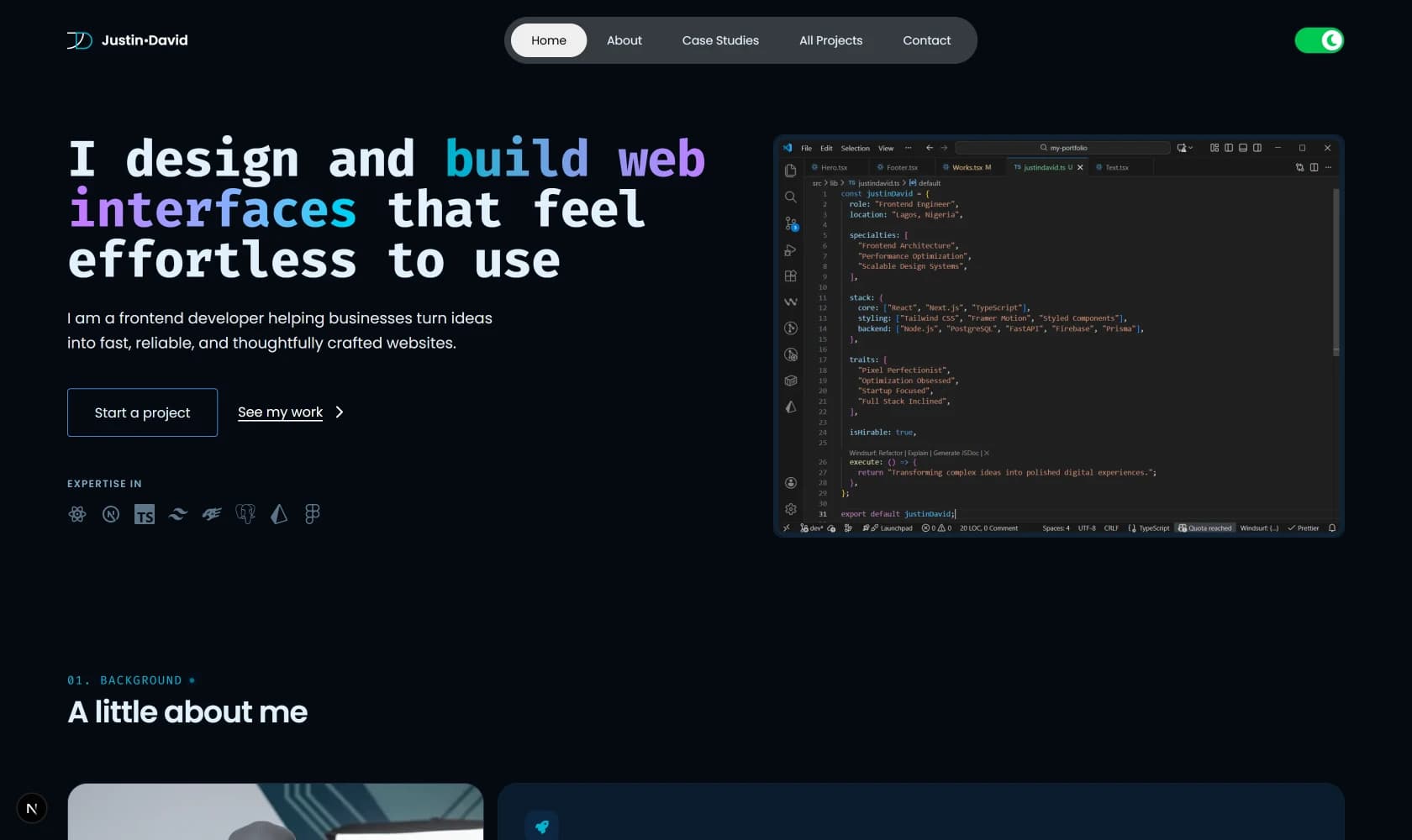
A portfolio that doubles as a case study. Server Components by default, a semantic design system in Tailwind v4, and navigation that tracks scroll without flicker.
Role
Designer & Developer
Duration
Ongoing
Core stack
Next.js 16 · React 19 · TypeScript
Context
Overview
A single-page portfolio with dedicated case-study routes, an all-projects grid, and a design system in Tailwind v4's CSS-first config. The goal was simple: build the site I'd want to be judged by, then use it as the template for every project page that follows.
The Brief
Present frontend craft, not just project screenshots. Every claim in a case study should be backed by a piece of code or a measurable outcome. The site itself should demonstrate the discipline it describes — Server Components by default, accessible semantics, real performance numbers, and a design system that doesn't leak implementation details into components.
Constraints
- Case study pages have to scale — one template, N projects, no bespoke layouts per project
- Design tokens must work in light and dark mode without components knowing dark mode exists
- Scroll-driven navigation cannot flicker during smooth-scroll — the active pill needs to feel like it's glued to the section, not chasing it
- The site must pass WCAG AA contrast in both modes without hand-tuning individual components
- Deploy has to be zero-config — no separate design-token pipeline, no runtime theme provider, no CSS-in-JS
01
Server Components by default, Client Components by exception
In the App Router, every file is a Server Component unless you opt out with `"use client"`. That directive is a commitment — the file and everything it imports get shipped to the browser. It's easy to add out of habit and hard to remove once it's there, because removing it means auditing every dependency for browser-only APIs.
I started with `"use client"` on About, Works, and Footer because I planned to animate them with Framer Motion. Mid-build I swapped to pure CSS transitions — `group-hover:`, `transition-transform`, `duration-700` — which do the same job for card hovers and image scale effects without shipping the motion runtime. The directive stayed behind and the components kept shipping to the browser for no reason.
Auditing those files dropped the client bundle and removed the runtime hydration cost for three sections that had no business being interactive. The visible impact on PageSpeed was small because the site was already fast — but the point isn't the number, it's the discipline. Every new file inherits the pattern, and a codebase where `"use client"` is the exception stays fast by default.
// ❌ Unnecessary — no state, no effects, no event handlers
"use client";
export function About() {
  return (
    <div className="transition-transform hover:-translate-y-1">
      <Heading2>A little about me</Heading2>
    </div>
  );
}

// ✅ Identical output, server-rendered
export function About() {
  return (
    <div className="transition-transform hover:-translate-y-1">
      <Heading2>A little about me</Heading2>
    </div>
  );
}02
A design system in Tailwind v4's CSS-first config
Tailwind v4 dropped `tailwind.config.ts`. Theme configuration lives in `@theme` blocks inside `globals.css`, and every variable declared with the `--color-*` prefix becomes a utility class. `--color-primary` gives you `bg-primary`, `text-primary`, `border-primary` — no plugin, no build config, no separate token file.
Components never touch raw colors. They use `bg-background`, not `bg-[#0B132B]`. They use `text-foreground`, not `text-slate-200`. The benefit is that dark mode becomes a single class swap on `<html>` — every semantic token is redefined inside `.dark`, and components don't know the mode exists.
I wrote raw colors in `oklch` because the perceptual uniformity is real. `oklch(0.55 0.18 250)` reads as "vibrant blue" in a way that `rgb(59, 130, 246)` doesn't, and interpolating between two oklch values doesn't produce the muddy grey you get from RGB transitions. Tuning contrast ratios to pass WCAG AA in both modes was faster because I could reason about lightness directly.
@theme {
  /* Semantic aliases — light mode */
  --color-background: oklch(100% 0.00011 271.152);
  --color-foreground: oklch(0.25 0.04 240);
  --color-primary: oklch(0.55 0.18 250);
  --color-muted: oklch(0.92 0.02 240);
}

.dark {
  /* Same names, different values */
  --color-background: oklch(0.14 0.02 250);
  --color-foreground: oklch(0.95 0.02 240);
  --color-primary: oklch(0.7 0.14 210);
  --color-muted: oklch(0.22 0.04 250);
}- Semantic tokens mean a component written once works in both modes. No `dark:` variants on individual elements.
- The `@theme inline` block maps the CSS variables into Tailwind utilities. Adding a new token is one line — no config file to update, no rebuild of a plugin.
- Because Tailwind v4 has no runtime, there's no theme provider, no flash-of-wrong-theme on load, no hydration mismatch. Dark mode is applied by a `<script>` tag in `<head>` before paint.
04
Case studies that don't need a max-width
Case study pages have a natural tendency to look cheap. The pattern most portfolios fall into is a centered column of text with `max-w-prose`, a stack of headings, and a lot of empty space on either side. It works, but it reads like a Medium article — everything the same width, everything centered for no reason.
I wanted an editorial layout: a narrow label column on the left (section number, heading), and a wide content column on the right that flows at the full container width. On mobile the columns collapse — the label stacks above the content. On desktop, the content column is naturally bounded by the two-column grid, so no `max-w-3xl` is needed and paragraphs don't feel artificially truncated.
The only place I kept a max-width is inside code blocks. Code that spans 1,200 pixels is unreadable. Everything else — paragraphs, bullet lists, impact cards — flows at the width the layout gives them.
<section className="grid grid-cols-1 gap-6 lg:grid-cols-[minmax(180px,240px)_1fr] lg:gap-16">
  <div>
    <p className="font-mono text-xs uppercase">03</p>
    <Heading3>{heading}</Heading3>
  </div>
  <div>
    {body.map((p) => <Paragraph key={p}>{p}</Paragraph>)}
    {code && <div className="max-w-3xl"><CodeBlock {...code} /></div>}
  </div>
</section>Impact
PageSpeed (mobile)
100 / 96 / 100 / 100
Performance · Accessibility · Best Practices · SEO
Client Components
2
Header and ThemeToggle — everything else renders on the server
Case studies
2
JacinthForge and Osagie Media · Pastura in progress
Runtime config files
0
Tailwind v4 CSS-first — no tailwind.config.ts
Stack
Framework
- Next.js 16
- React 19
- TypeScript
Styling
- Tailwind v4
- CSS-first config
- oklch tokens
Motion
- Motion (framer-motion)
- CSS transitions
Content
- Typed case-study data
- Dynamic routes
- Static params
SEO
- Dynamic metadata
- JSON-LD
- Open Graph
- Sitemap
Tooling
- ESLint 9
- Prettier + tailwind plugin
- pnpm
What I'd do differently
The intersection lock timing is a magic number — 900 milliseconds, tuned by feel. It should be derived from the CSS `scroll-behavior: smooth` duration, but the browser doesn't expose that. A cleaner approach would be to detect `prefers-reduced-motion`, use instant scroll for those users (no lock needed), and use smooth scroll for everyone else. The other thing I'd change: the About and Works sections still rely on `hover:` for their primary interactions on desktop, which is correct, but the mobile equivalents could use one more beat of tactile feedback — an `active:scale-[0.99]` on the card, maybe. Small, but it's the kind of detail that separates a portfolio from a product.
Next case study
Osagie Media
Solo build • Delivered in four weeks